Compar Pro:
Stop guessing what’s different between video files
Know Exactly What Changed
In Every Version, Every Time
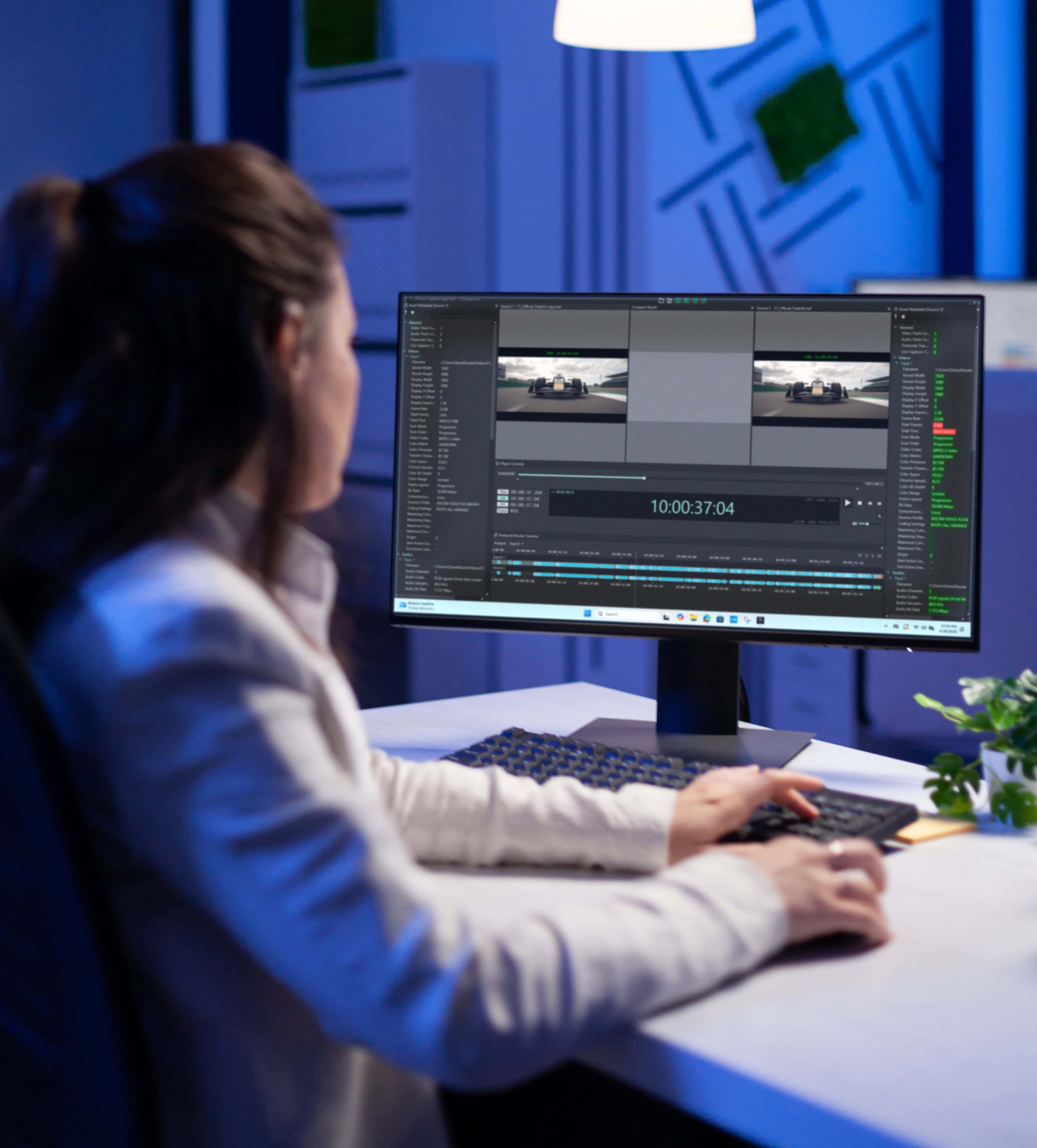
Compar Pro delivers frame-accurate, pixel-level analysis faster than real-time giving you instant clarity on technical changes, visual differences, and editorial modifications across all your content versions.
Basic file attributes like duration, name, or size don’t reveal the full story. With the dramatic increase in content versioning across platforms, regions, and audiences, media teams face a growing challenge: knowing whether assets are truly different or just variants.
Compar Pro brings clarity to that complexity, empowering your team to validate every version with speed and precision, ensuring flawless delivery across all channels.
Key Features
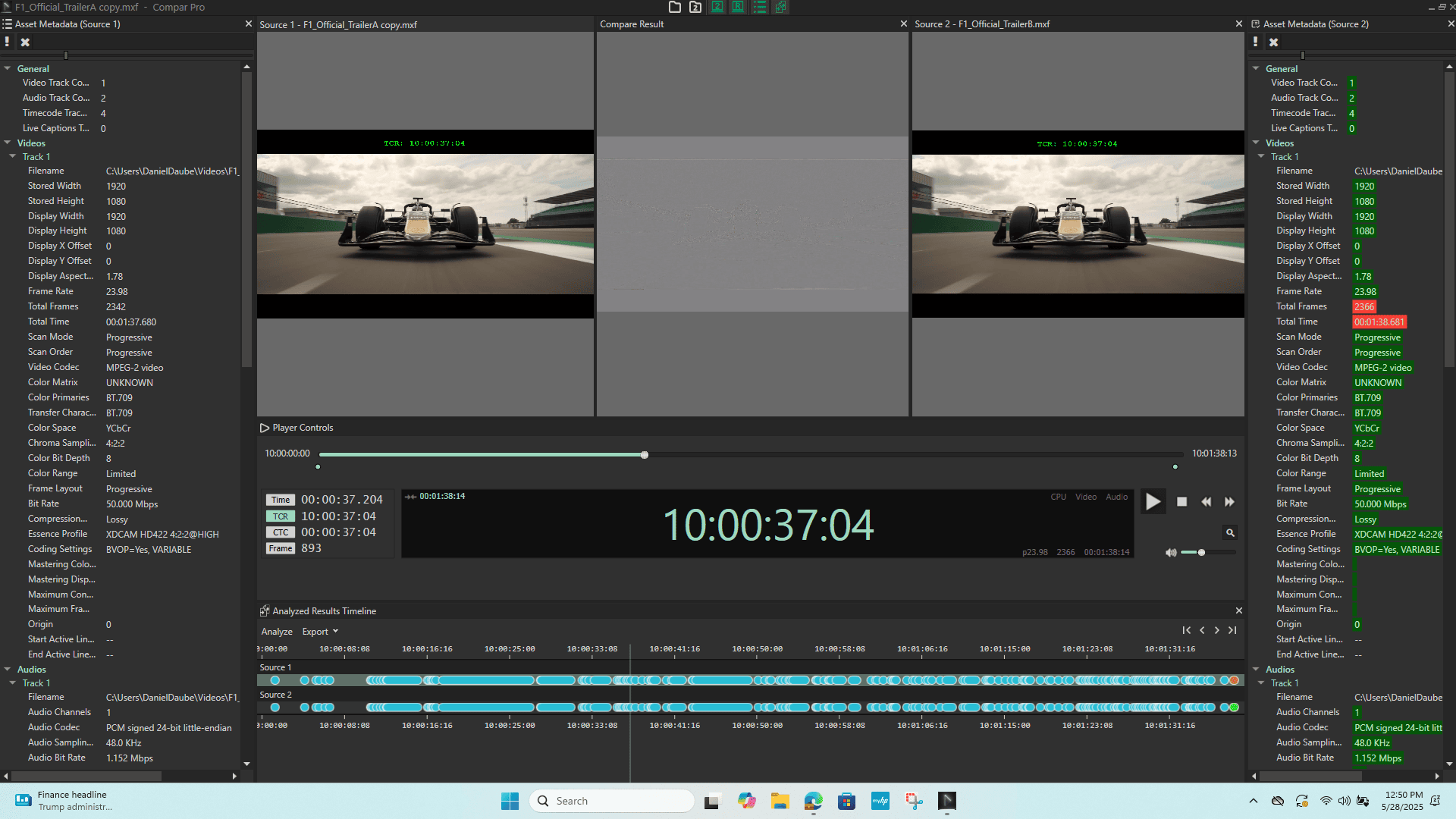
Frame-Accurate Visual Difference Detection
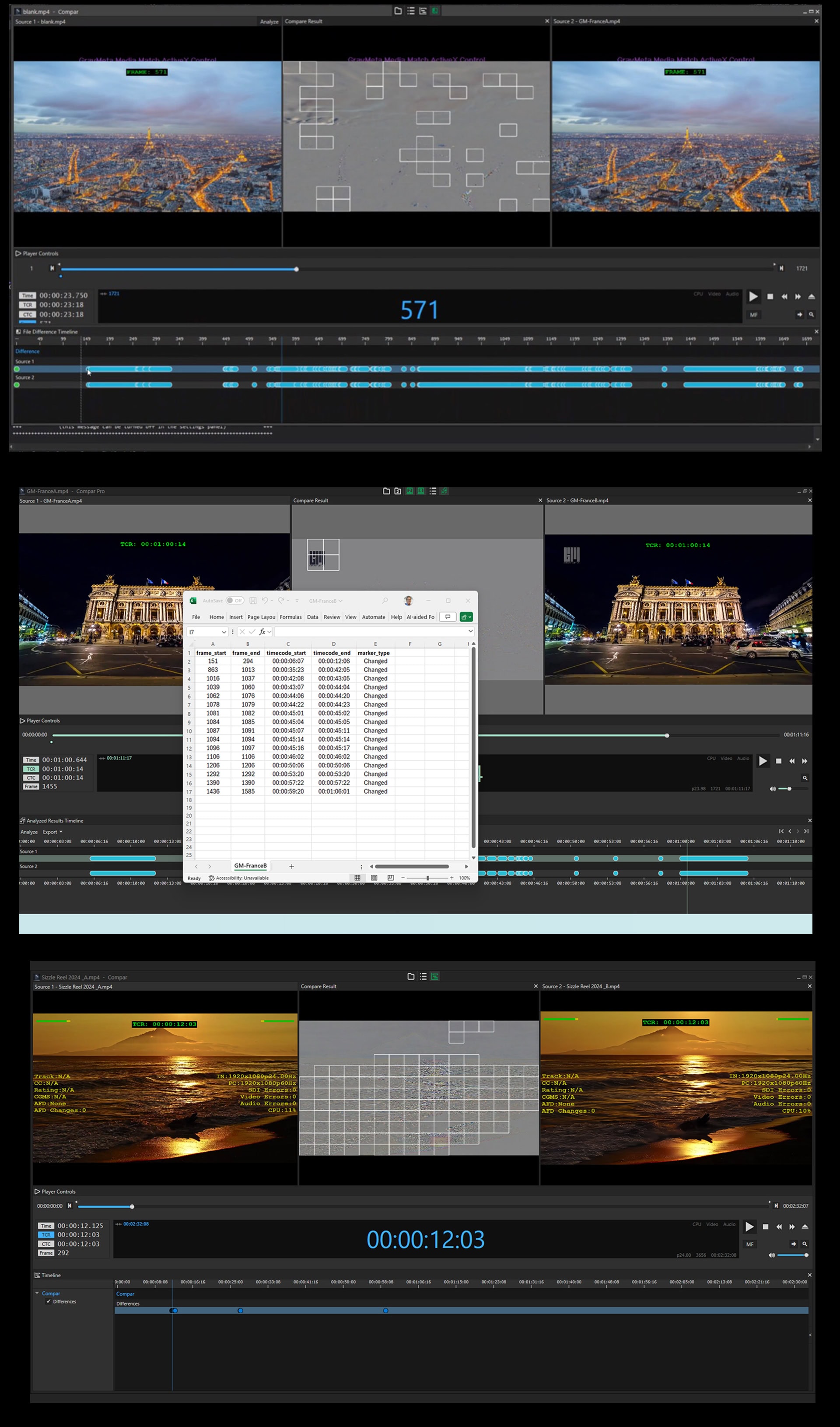
Instantly identify subtitles, narrative titles, overlays, watermarks, bugs, shot replacements, missing scenes, or visual alterations like blurs, distortions, and wipes with precise timecode accuracy.
Technical Difference Analysis
Immediately determine technical differences in compression, noise, color grading, or resolution beyond customizable thresholds, confirming color conformity across formats and delivery specs.
Faster Than Real-Time Processing
Analyze complete files in a fraction of the playback time, detecting even the slightest differences that would be easily missed in simple side-by-side viewing, including subtle logo blurs, replaced frames, or AI-generated shot extensions.
Pixel-Level Comparison with Exportable Reports
Get the precise frame where differences are detected with complete durations, all exportable in time-based reports for documentation, client approval, or compliance validation.
Customizable Threshold Detection
Set sensitivity levels to catch everything from major editorial changes to the most subtle pixel-level variations—adapting to your specific quality standards and validation requirements.
Purpose-Built for Critical Comparison Workflow
Version Validation & QC Acceleration
Managing multiple versions of the same content for different platforms, regions, or distributors? Compar Pro eliminates manual side-by-side checking by automatically detecting every difference between master and derivative files.
Catch unauthorized edits, confirm platform-specific requirements were applied correctly, and validate that localization changes (subtitles, overlays, censorship blurs) appear exactly where specified, all in a fraction of the time traditional QC takes.
Color Conformity & Technical Compliance
Ensuring color grading consistency across HDR/SDR versions, different codecs, or streaming platform encodes is critical but time-consuming.
Compar Pro’s technical difference analysis instantly reveals compression artifacts,
color shifts, or resolution degradation beyond your threshold.
Confirm your color grade matches the approved master, validate that HDR-to-SDR conversions preserve creative intent, and ensure platform-specific encodes meet technical specs without subjective guesswork.
Editorial Change Detection & Content Integrity
Did the editor implement all the requested notes?
Are there unauthorized changes between approved and delivered versions?
Compar Pro provides objective evidence of every editorial modification,
detecting shot replacements, scene additions or deletions, timing changes,
and visual alterations with frame accuracy.
Generate timestamped reports that document exactly what changed, when,
and where, creating an audit trail for creative approvals and delivery verification.
AI-Generated Content Verification
With AI tools increasingly used for frame interpolation, upscaling, and content generation, knowing exactly where synthetic frames were inserted is essential for transparency and rights management.
Compar Pro’s pixel-level analysis precisely identifies where AI-generated frames were added to scenes, enabling content authentication, rights verification, and disclosure compliance for platforms that require AI content labeling.
Stop Guessing. Start Knowing.
If you’re a video user of any kind, it’s more likely than ever that you need to know exactly what is different, or the same, in two or more files.
Compar Pro gives you that certainty.
Start your free trial today and experience the clarity, speed, and precision that transforms version validation from a bottleneck into a competitive advantage.