

A program is run through automated Quality Control. The report comes back with errors, but they have to be checked to see if they are false positives. Or the asset passes, but a color grade shifts between shots, a subtitle freezes on playback, a loudness threshold wasn’t set properly for the network or streamer’s specs…and so on.
At GrayMeta, we see this pattern across facilities of every size, and the cause is almost always the same: the QC setup was designed for mass initial evaluations with a set of thresholds that may not be an exact match to the delivery specs or simply what may get flagged as an issue is a creative choice or effect in the show.
Automated QC tools perform well on checks that reduce to numerical thresholds.
File format validation, audio loudness compliance properly set for EBU R128 or CALM Act targets, black frame durations, freeze frame detection, caption presence, and container structure are all binary questions: the value either falls inside the rule, or it does not. This is genuine operational value. When a facility processes hundreds or thousands of assets per week, the ability to reject non-compliant files at ingest rather than discovering problems at playout prevents the kind of late-stage failures that cost advertiser make-goods, contractual penalties, and schedule disruptions.
The IRIS QC Applications are designed to manage virtually any part of the QC workflow.
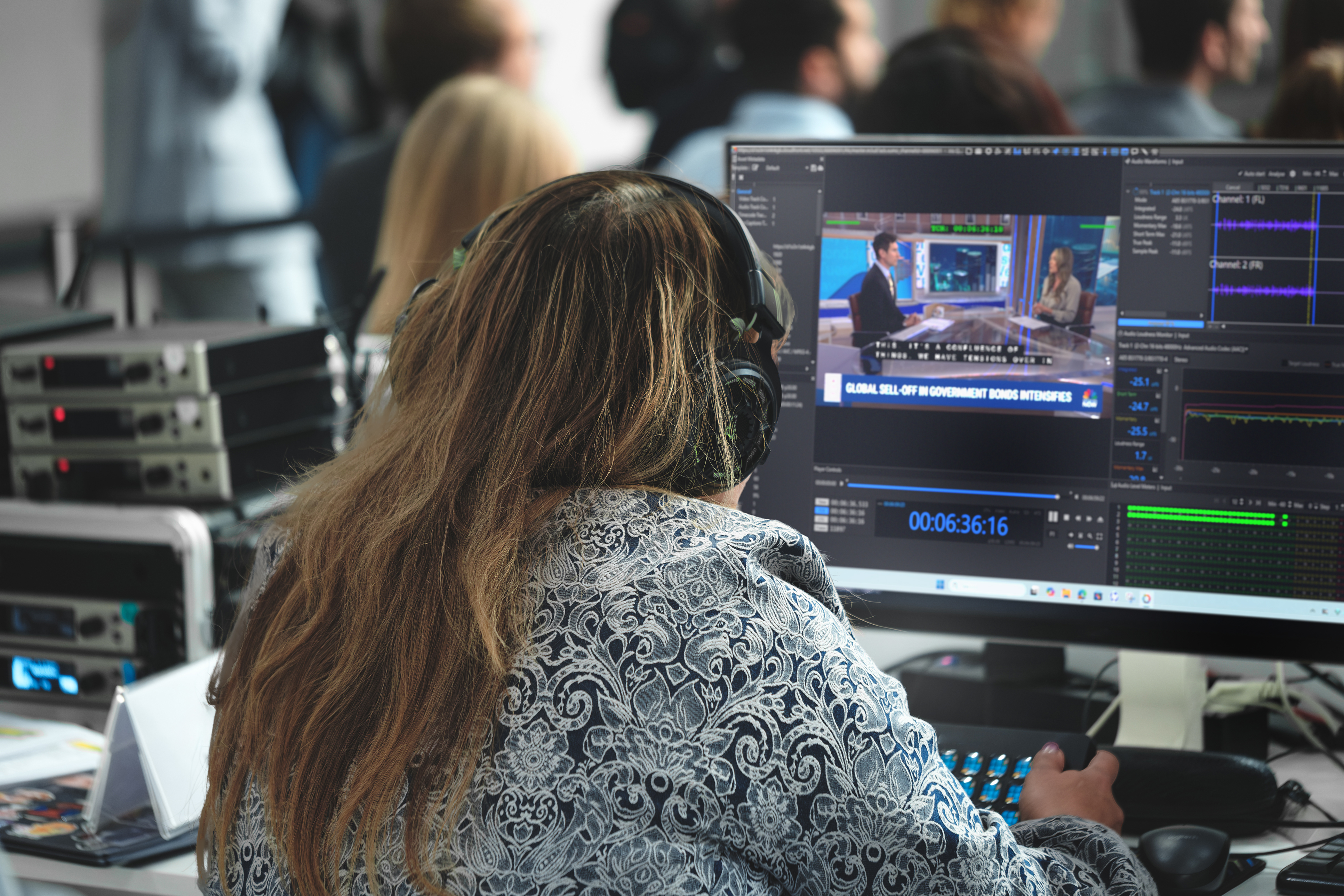
Iris imports all of the major auto-QC vendors’ reports directly onto a timeline with all the flags and annotations so each can be reviewed by an operator. That’s just part of the Iris QC advantage. In this article we’ll break down where automated QC tools can fall short for broadcast and streaming environments. Often, there are potential issues or “flags” that still require “eyes-on-glass” and human review especially with high-profile content. We focus on the strong need for human review that fills the gaps that automation cannot close on its own.
Why do automated QC tools miss critical broadcast issues?
The gap between what a tool reports and what reaches the viewer comes down to a fundamental constraint: automated QC tools test what they are told to test, using the parameters they are given. Three categories of failure account for most missed issues in broadcast operations.
- The first is problems that require context. A machine can detect that a frame went to black. It cannot determine whether that black frame is a fault or an intentional creative pause. It can flag that audio levels dropped below a threshold, but it cannot distinguish a deliberate quiet passage in a film score from a missing audio channel. Lip-sync mismatches, wrong scene versions, subtitle timing that technically passes a gap-and-rate check but sits on the wrong shot, and color grading inconsistencies between HDR and SDR versions all require someone who understands the content, not just its signal measurements.
- The second is threshold misconfiguration. Automated tools follow QC templates, sets of rules that an operator configures for each delivery specification. If the template does not match the specific requirements of the broadcaster or platform receiving the file, the tool will approve files that should fail. The tool is not wrong in its own terms; it followed its instructions precisely, and the instructions were incomplete. Template drift is common in facilities managing delivery specifications for multiple platforms, each with different loudness targets, caption formats, and container requirements.
- The third is false confidence from clean reports. A false negative, where the tool misses a real problem, is operationally more costly than a false positive. False positives waste time as operators chase issues that are not real. False negatives let defective content reach the audience. Both erode trust in the QC process, but false negatives carry the higher consequence: a viewer complaint, a regulatory inquiry, or a re-delivery that could have been caught at ingest.
Where does human review fit in a modern broadcast QC workflow?
The operational model that performs best in practice is management by exception. Automation handles the deterministic, high-volume checks that follow clear rules. Human reviewers handle the flags that require judgment and the error categories that automation cannot cover.
This is sometimes called human-in-the-loop QC or “eyes-on-glass”.
The concept is straightforward: the machine does the fast, repetitive scanning and the human applies context, experience, and editorial judgment to the results. Every flag the automated system raises, and every file it approves, benefits from the possibility of human review when the content is high-risk or high-value.
What kinds of errors require human review instead of automation?
Some of the most consequential broadcast errors are invisible to automated tools because they depend on editorial judgment, not signal measurement.
- Subtitle accuracy is a clear example. An automated check can confirm that captions exist, that they are in the correct format, and that they meet minimum gap and rate requirements. It cannot confirm that the words on screen match what a person is actually saying. A wrong word, a missing line, or a caption that appears on the wrong shot passes every automated subtitle check.
- Wrong version delivery is another. When multiple versions of the same content exist, such as theatrical cut versus broadcast edit, or localized versions for different territories, an automated tool checking file specifications will not flag that the wrong version was delivered if the wrong version happens to be technically compliant. A human reviewer who knows what the content should contain catches this immediately.
- Creative and subjective quality, whether color looks natural, whether an edit feels smooth, whether a scene is too dark for the intended viewing environment, requires perception that operates differently from pixel measurement. Tools measuring signal values do not experience the content the way a viewer does.
- AI-generated content introduces a newer category of challenge. Content whose characteristics change from shot to shot, or whose provenance and processing history are not obvious from the file metadata, does not always carry the artifacts traditional QC was built to detect. Standard threshold-based checks can pass files that contain visually or editorially significant anomalies because the anomalies do not register as out-of-spec on any individual measurement. These are the normal operating conditions of broadcast facilities handling high volumes of content across multiple platforms and territories.
How should broadcast teams evaluate QC tools for real-world accuracy?
Evaluating a QC tool on its feature list or format support alone misses the operational question that matters: how often does this tool miss something that reaches the viewer, and how much time does your team spend chasing false alerts? Two metrics matter more than any headline detection rate.
- The first is false negative rate by error category: of the real problems that existed in your content over a defined period, how many did the tool catch, and how many passed through?
- The second is false positive volume per program-hour: how many flags did the tool generate that turned out to be non-issues, and how much operator time did each one consume?
A combined accuracy percentage can conceal weak categories. A tool that catches 99% of loudness violations but misses 40% of subtitle timing issues will report an impressive aggregate score while letting a high-consequence error category through consistently. Test on your own material. Vendor benchmarks use controlled test sets that may not reflect the codec diversity, container variations, and editorial complexity of your actual library. Run a shadow evaluation: process a batch of content through the new tool in parallel with your existing workflow, compare results, and review every disagreement.
Ask any vendor to demonstrate a known miss, a benign false alarm, and a processing failure on your material. The response tells you more about the system than any product sheet.
Explainability also matters. When a check fails, operators need to know why it failed, what evidence supports the result, and what would resolve it. A QC system that outputs a pass/fail verdict without showing its reasoning creates an operational bottleneck: every failure becomes an investigation.
The practical constraint is that human review does not scale the way automation does.
A facility processing thousands of assets per week cannot have a human watch every second of every file. The operational design question is which files, and which error categories get human eyes, and how quickly can a reviewer reach the relevant moment in the content when a flag is raised.
This is where the QC tool architecture matters. A system that surfaces flags with frame-accurate timecodes, displays the relevant section of the content alongside the QC data, and allows a reviewer to confirm or dismiss a finding without leaving the interface reduces review time from hours to minutes per flagged asset.
Iris QC Pro and Iris Anywhere QC are built around this principle. Automated results from file-based QC platforms are imported and presented alongside frame-accurate playback, so a reviewer can examine each flag in context, confirm which findings are real, dismiss false positives, and catch the subjective or context-dependent problems that automated tools cannot evaluate. Iris Anywhere QC extends this capability to browser-based access, which matters operationally when review teams are distributed across locations. The review step does not require a dedicated facility or specific hardware.
The core operational advantage is that automation and human review work as a single integrated workflow rather than separate sequential steps. Files move through automated checks at machine speed. Flags route to human reviewers with the evidence they need to make fast, informed decisions. Content that clears both stages goes to playout with higher confidence than either approach could achieve alone.
What should broadcast operations teams do about automated QC gaps today?
Automated QC gaps call for better workflow design, not less automation. Build the workflow around what automation can and cannot do and invest in the places where human judgment adds the most operational value.
• Start with your QC templates. Audit them against your current delivery specifications. If any template has not been updated in more than six months, it is likely out of sync with at least one platform’s requirements. Template maintenance is the single highest-return activity for improving QC accuracy.
• Separate your error categories by what automation can verify and what requires human review. Codec compliance, loudness, black frames, and container structure are automation territory. Subtitle accuracy, version verification, creative quality, and editorial compliance need human eyes. Design your workflow to route each category to the right resource. Measure your false negative rate. If you do not track which issues made it past QC to the viewer or the platform rejection report, you cannot improve. Every post-QC failure is data about where your thresholds, templates, or review process has a gap.
• Invest in review tools that make human QC efficient rather than treating it as a bottleneck. Frame-accurate playback, integrated automated QC results, and browser-based access for distributed teams are the difference between human review as a constraint and human review as a competitive advantage.
Automated QC is infrastructure: necessary, fast, and consistent at what it does. It is also incomplete. The broadcast and streaming facilities that deliver the fewest on-air defects are not the ones with the most sophisticated automation. They are the ones that know exactly where their automation stops working and have built a reliable human review process for everything beyond that line.
