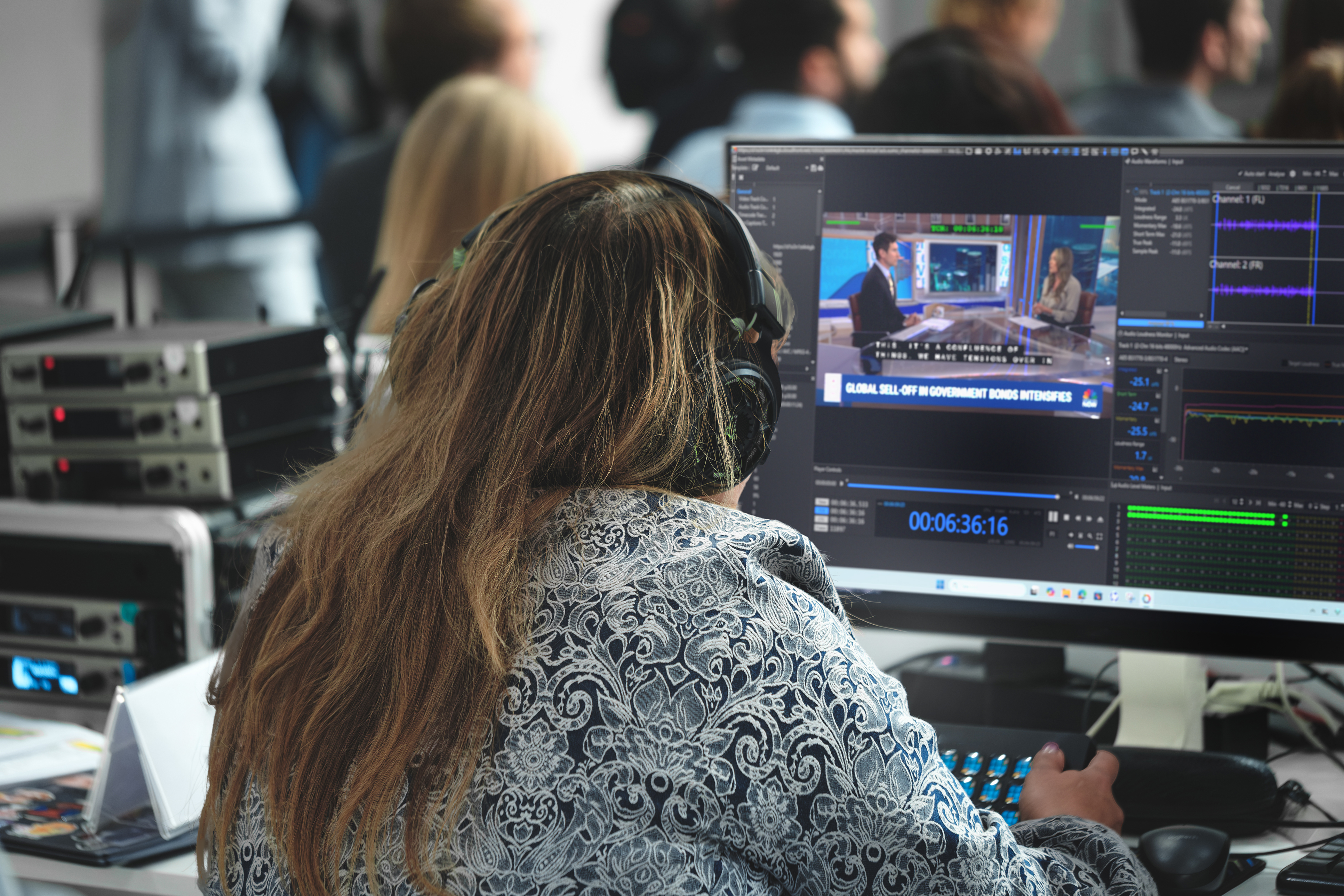
When you watch a movie, a streaming series, or a broadcast show, you are seeing the final result of a long journey. Before that video reaches you, it has to pass Quality Control, or QC, which is the process of checking a video file to make sure it looks right, sounds right, and follows all the technical rules required to air or stream it.
For a single video, QC is manageable. But large studios do not deal with a single video. They handle thousands of files at once, in many languages, in many formats, for many different platforms around the world. This is called file-based QC at scale, and it is a huge operation. The word “scale” simply means doing something in very large amounts.
It is worth noting that this is not a theoretical problem. Some of the biggest names in media rely on Iris QC applications to solve it every day, including NBCUniversal (NBCU), Versant, Peacock, HBO, Warner Bros. Discovery, the BBC, and Disney. These are companies that deliver enormous amounts of content to global audiences, and they need QC that can keep up. We will look at exactly where Iris fits in as we go.
So how do big studios keep up? Let’s break it down.
Too Much Video, Too Little Time
A large studio might be delivering the same show to dozens of destinations. One streaming service wants a certain file format. A broadcaster in another country wants a different frame rate. A third platform requires captions in five languages. Each version of the file has to be checked separately.
Now multiply that by hundreds of shows and thousands of episodes. The math becomes overwhelming very fast. Checking every file by hand, frame by frame, would take an army of people and far more time than any deadline allows.
Because of this, studios cannot rely on manual review alone. They need a system, a smart combination of software, processes, and people working together.
Step 1: Automation Handles the Heavy Lifting
The first tool in the toolbox may be automated QC, which is software that scans video files automatically and flags possible problems without a person watching every second.
Automated tools can catch measurable issues, such as:
• Wrong file format, meaning the resolution, frame rate, or file type does not match what was ordered.
• Basic Loudness errors, meaning the audio is too loud or too quiet compared to the required standard.
• Black frames or freezes, where the picture goes dark or gets stuck.
• Technical color or brightness issues that exceed global specifications.
At scale, studios scan enormous numbers of files quickly and catch the obvious, rule-based problems before a human ever gets involved. This saves time.
Step 2: Building a Workflow, Not Just Running a Tool
Here is something many people do not realize. Large studios do not just “run a QC tool” and call it a day. They build a workflow, which is a step-by-step path that a file automatically travels through from start to finish.
A typical workflow might look like this:
1. A finished file arrives in the system.
2. The system automatically starts a QC scan.
3. The results are sorted into “passed,” “failed,” or “needs review.”
4. Failed or flagged files are sent to a person to look at.
5. Fixed files are checked again.
6. Approved files are packaged and delivered to their destination.
The key word here is automatically. Studios connect their tools together so files move from one stage to the next without someone manually carrying them along. This automatic movement, often called orchestration, is what makes scale possible. Orchestration simply means coordinating many tools and steps so they work together smoothly.
Where Iris QC Pro Fits
This is exactly the stage where Iris QC Pro does its work. Iris QC Pro is a professional review application built for the people who have to sit with a file and make careful, detailed decisions about it. In the workflow above, it fits right at step 4, where flagged files need a real human to examine them closely.
Instead of forcing a reviewer to jump between many different programs, Iris QC Pro brings the video, the audio, the captions, and the list of flagged issues into one place. A reviewer can watch the exact spot where a problem was flagged, confirm whether it is real, and mark it as approved or rejected. This is the deep, detailed review station, and it is designed to make the human part of QC faster and more accurate. Studios like NBCU, HBO, and Disney use this kind of focused review environment to keep quality high even when the volume is enormous.
Step 3: Sorting the Important from the Unimportant
When you scan thousands of files, you get thousands of flags. If a team tried to review every single flag with equal attention, they would drown. So studios use a strategy called prioritization, which means deciding what to look at first.
They do this in a few smart ways:
• Severity levels. Some errors are serious, like missing audio for an entire scene. Others are minor, like a tiny technical warning that does not affect the viewer. Studios focus human attention on the serious ones first.
• Filtering out false alarms. Automated tools sometimes flag things that are not really problems. These are called false positives. Good workflows help teams quickly spot and dismiss these so they do not waste time.
• Grouping similar issues. If the same error appears across many episodes of one show, it often points to a single root cause. Fixing that one cause can clear many flags at once.
This sorting is what separates a chaotic pile of alerts from a manageable, organized review process. Iris applications support this by making it easy to move through flagged issues one by one, confirm the real ones, and clear the false ones quickly.
Step 4: Keeping Humans in the Loop
Even at the largest studios, machines do not get the final say. This is because some problems simply cannot be measured by a computer.
For example, a tool can tell you the picture went black, but it cannot always tell you whether that black frame was a mistake or a dramatic pause the director wanted. A tool can check that subtitles exist, but it cannot always tell whether they actually match what the characters are saying. These judgments require a trained person who understands the meaning and context of the content.
This approach is called human-in-the-loop, which means keeping skilled people involved to review results rather than trusting automation blindly. At scale, the goal is not to remove humans. The goal is to point human attention exactly where it is needed most, so their time is spent wisely.
Think of it like airport security. Machines scan every bag quickly, but a human officer steps in to inspect anything the machine flags as unusual. The machine handles volume. The human handles judgment. Together, they move a huge crowd through safely.
Where Iris Anywhere QC Fits
Modern studio teams are rarely all in the same building. Reviewers might work from home, from another city, or from another country entirely. This creates a problem. If the only place to review files is one specific room with special equipment, review becomes a bottleneck, which is a point where everything slows down and backs up.
Iris Anywhere QC solves this. It brings the same trusted review experience to reviewers wherever they are, through a browser, without needing to be at one fixed workstation. In the workflow, it sits alongside the human review step and makes that step available from almost anywhere.
This matters enormously at scale. A global company like the BBC, Warner Bros. Discovery, Versant, or Peacock may have content moving around the clock across many time zones. With Iris Anywhere QC, a reviewer in one part of the world can pick up files the moment they are flagged, rather than waiting for a specific team in a specific office to be awake and available. Human review stops being a bottleneck and becomes something that can happen continuously, wherever the right person is.
Together, Iris QC Pro and Iris Anywhere QC cover both sides of human review. Iris QC Pro is the deep, detailed review station for careful work, and Iris Anywhere QC extends that review to any location so it can keep pace with a global operation.
Step 5: Tracking Everything
At scale, studios also need to keep records. This is called reporting and audit trails. An audit trail is simply a history of what was checked, what was found, who reviewed it, and what was decided.
This matters for several reasons:
• If a client asks “did you check this?”, the studio can prove it.
• If the same error keeps happening, the records reveal the pattern.
• If a file is rejected later, the team can trace exactly what went wrong and when.
Good record-keeping turns QC from a one-time check into a system that keeps improving over time. Because Iris applications capture what each reviewer confirmed, dismissed, or rejected, they feed directly into this kind of record-keeping, giving studios a clear history of every decision.
Bringing It All Together
Managing video QC at scale is not about one magic tool. It is about combining several things into one smooth operation:
| Piece of the Puzzle | What It Does | Where Iris Fits |
|---|---|---|
| Automated QC | Scans huge numbers of files fast and flags measurable problems | Feeds flagged results into Iris for review |
| Workflow and orchestration | Moves files through each step automatically | Iris QC Pro receives flagged files for detailed review |
| Prioritization | Focuses attention on the most serious issues first | Iris makes clearing real and false flags fast |
| Human review | Applies judgment and context that machines cannot | Iris QC Pro and Iris Anywhere QC power this step |
| Reporting and audit trails | Keeps records and reveals patterns over time | Iris captures every reviewer decision |
Each piece supports the others. Automation without prioritization creates chaos. Prioritization without human review lets real problems slip by. Human review without automation cannot keep up with the volume. Only when all the pieces work together can a studio handle massive amounts of video without sacrificing quality.
The Bottom Line
Large studios manage file-based QC at scale by letting machines do what machines do best and letting people do what people do best. Automation handles the enormous volume and catches clear, rule-based errors. Smart workflows move files along without manual effort. Prioritization keeps teams focused on what truly matters. And trained reviewers step in to make the judgment calls that no computer can make on its own.
This is where Iris fits so naturally. Iris QC Pro gives reviewers a powerful, detailed station to examine flagged content, and Iris Anywhere QC extends that review to any location so it can match the pace of a global operation. It is no accident that companies like NBCU, Versant, Peacock, HBO, Warner Bros. Discovery, the BBC, and Disney rely on Iris QC applications. It is this careful balance, not any single tool, that allows the world’s biggest studios to deliver thousands of high-quality videos on time, every day.